How to Apply MatrixColor Night Filter in Ren’Py — Step by Step
A downloadable asset pack for Windows, macOS, and Linux
MatrixColor Night Filter in Ren’Py Full Script & Guide (100 % Free)
~Hiii, my dear code adventurers! Mia here, anddd I’m beyond excited to share with you my new source code about MatrixColor Night Filter in Ren’Py, nyaaa! Dive into paws-on magic! This source code gives you a complete, ready-to-go Ren’Py script to turn day into night using MatrixColor only — no extra images or assets needed, fufufu. Everything is 100 % free, easy to customize, and purrfect for visual novel creators or code adventurers. Let’s make the night come alive together, nyaaa!
📘Summary:
📄What’s in the meow pack (~and what you’ll learn)
📄MatrixColor Night Filter Guide for Ren’Py Projects
📄Thank you for reading my meoww guide
📄What’s in the meow pack (~and what you’ll learn)
🗂️(=^・^=) Included files:
🔹A ready-to-use rpy script showing a meow transform night_filter with matrixcolor (using BrightnessMatrix and TintMatrix).
🔹Inline comments on every line sooo you understand what to tweak and why.
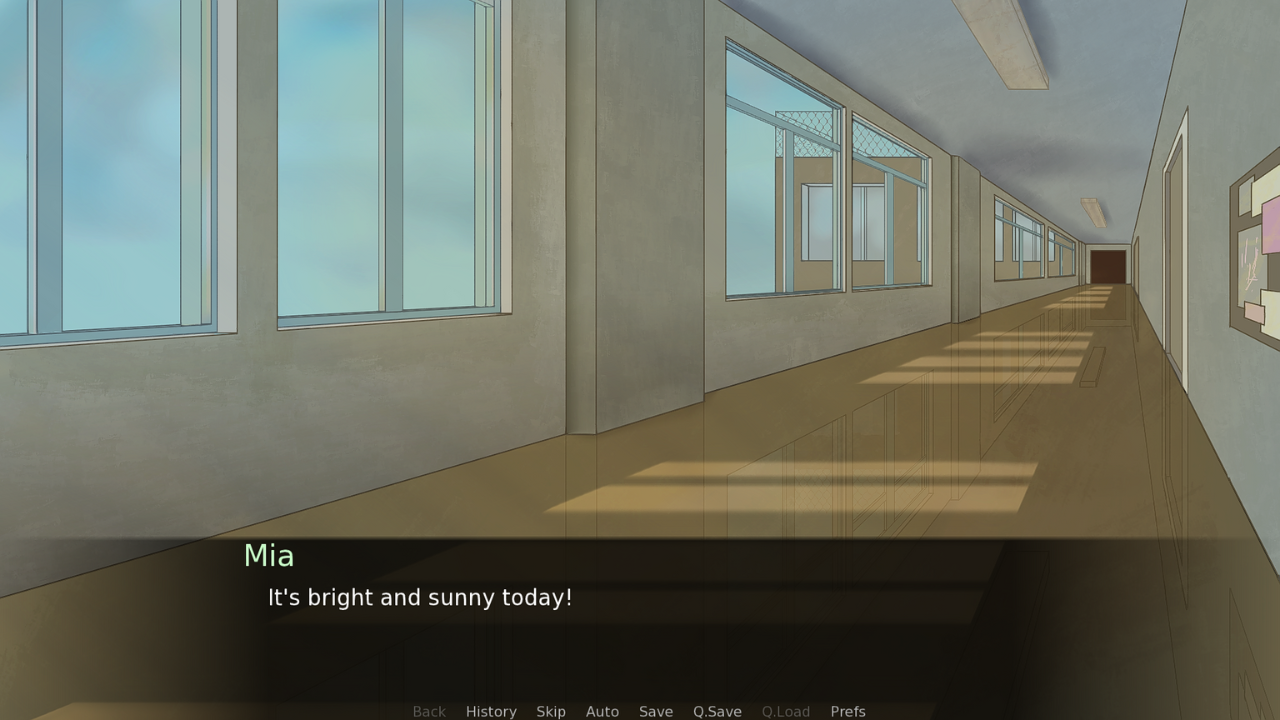
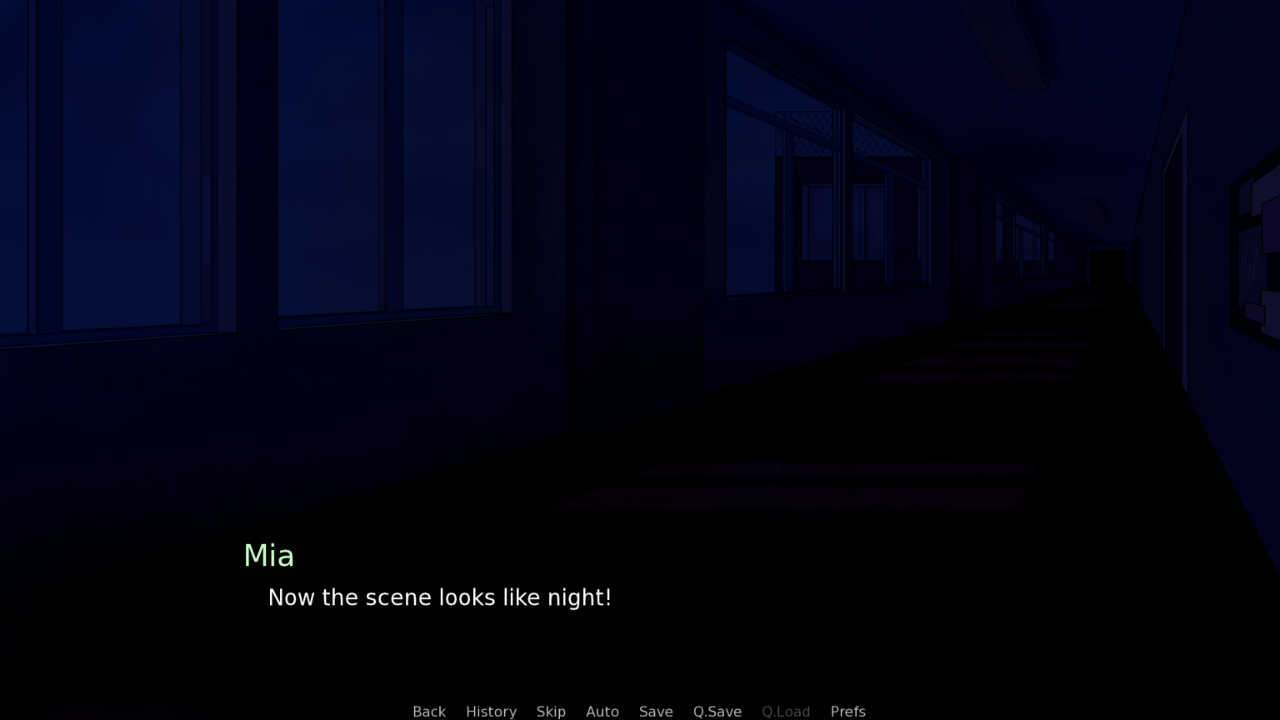
🔹Two minimal scenes (day to night) to verify the meoww effect.
🗝️(=^・^=) Core techniques you’ll master:
🔹 MatrixColor in Ren’Py via transforms
🔹Applying a transform to a shown image
📄MatrixColor Night Filter Guide for Ren’Py Projects
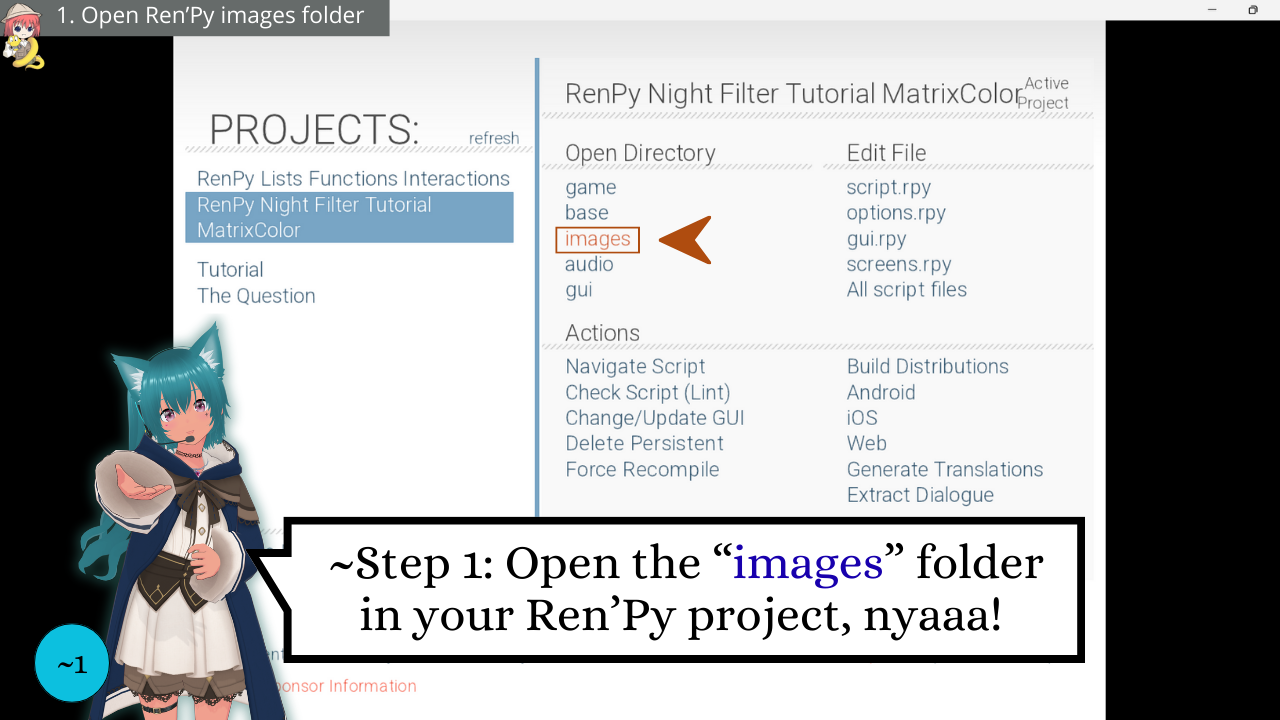
1️⃣ Open your Ren’Py images folder project
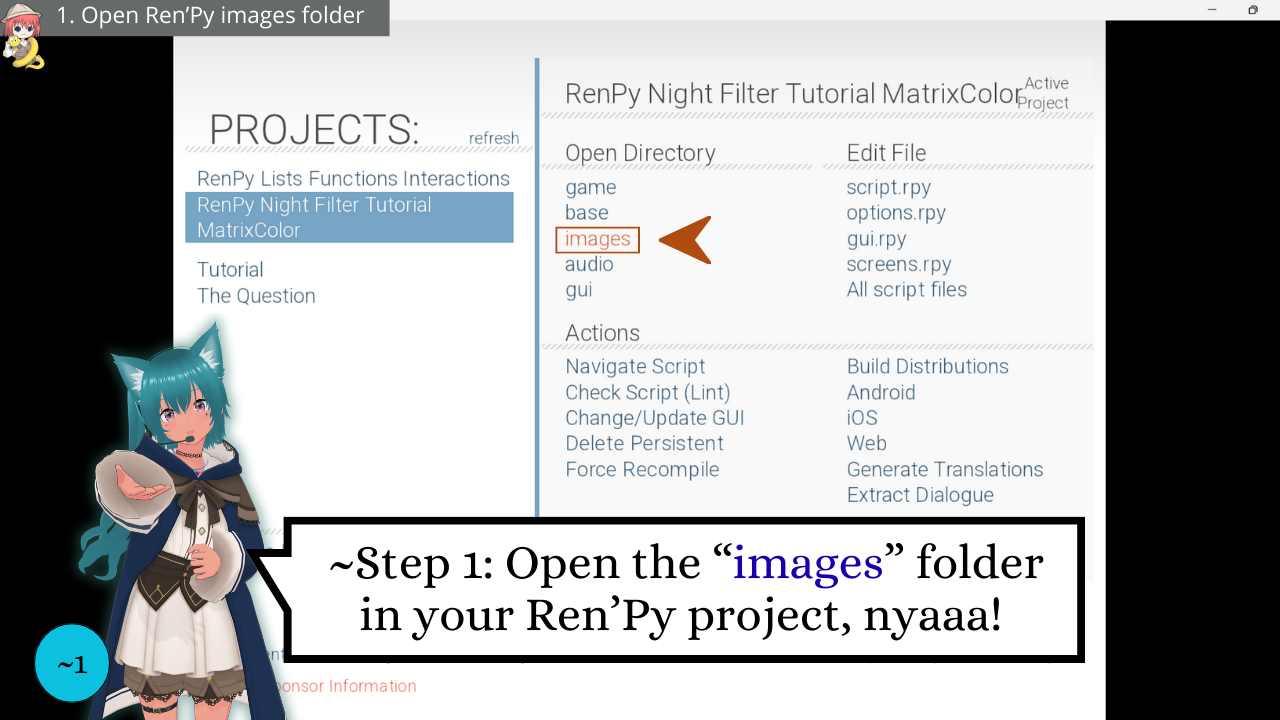
First, open your Ren’Py images folder. This is where backgrounds must be located sooo Ren’Py auto-detects them, nyaaa!
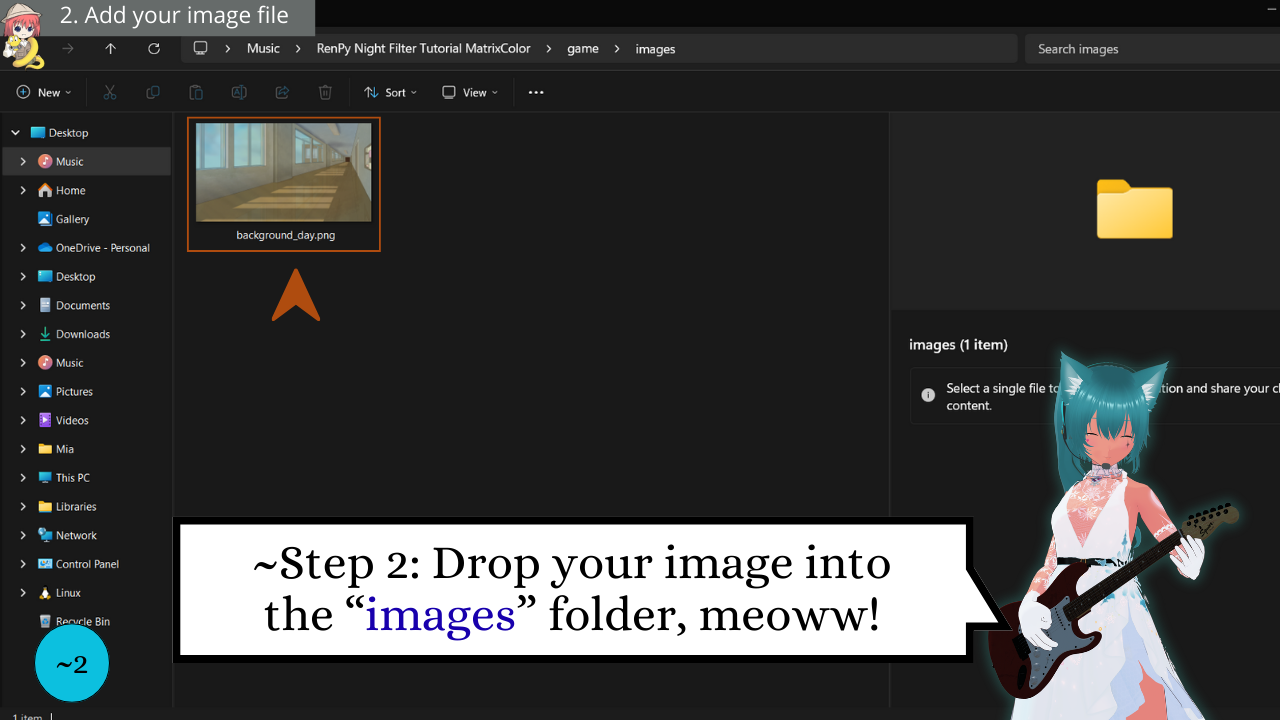
2️⃣ Add your image file to game/images
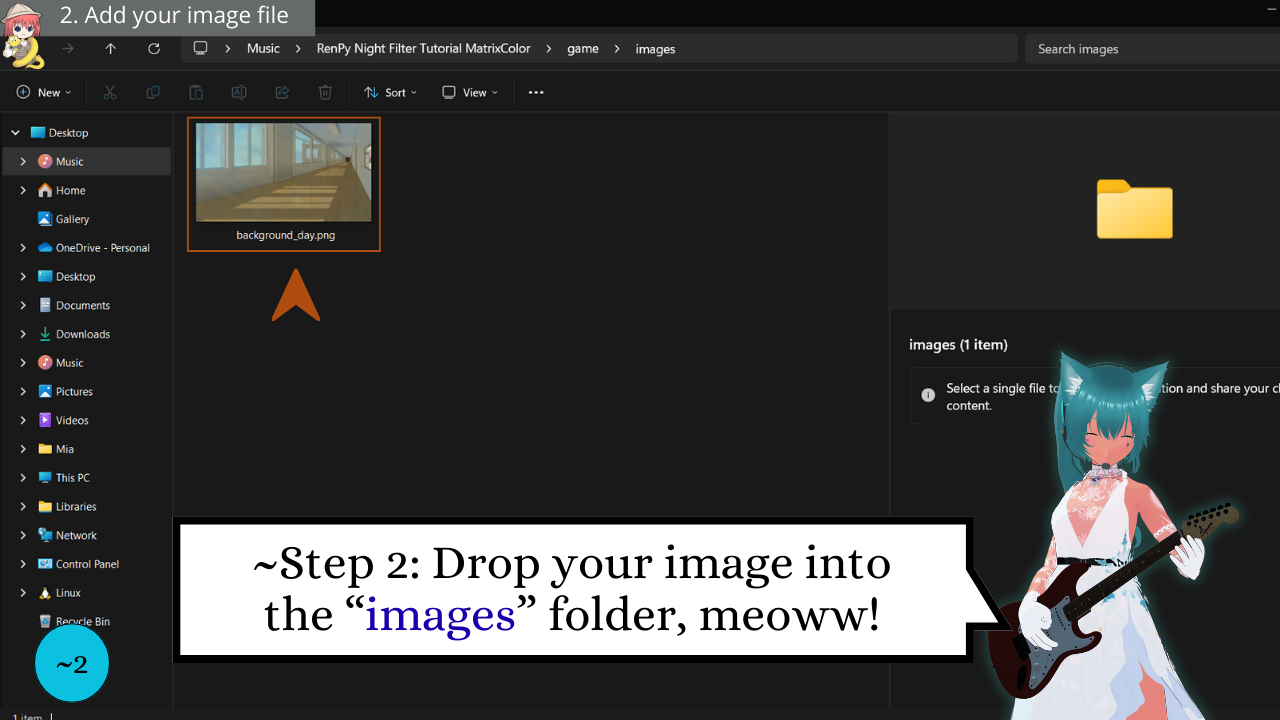
Drop your day background into the meow Ren'Py images folder. Ren’Py scans this folder (and subfolders), strips the extension, lowercases the name, and auto-registers it—sooo you can call it directly in script.
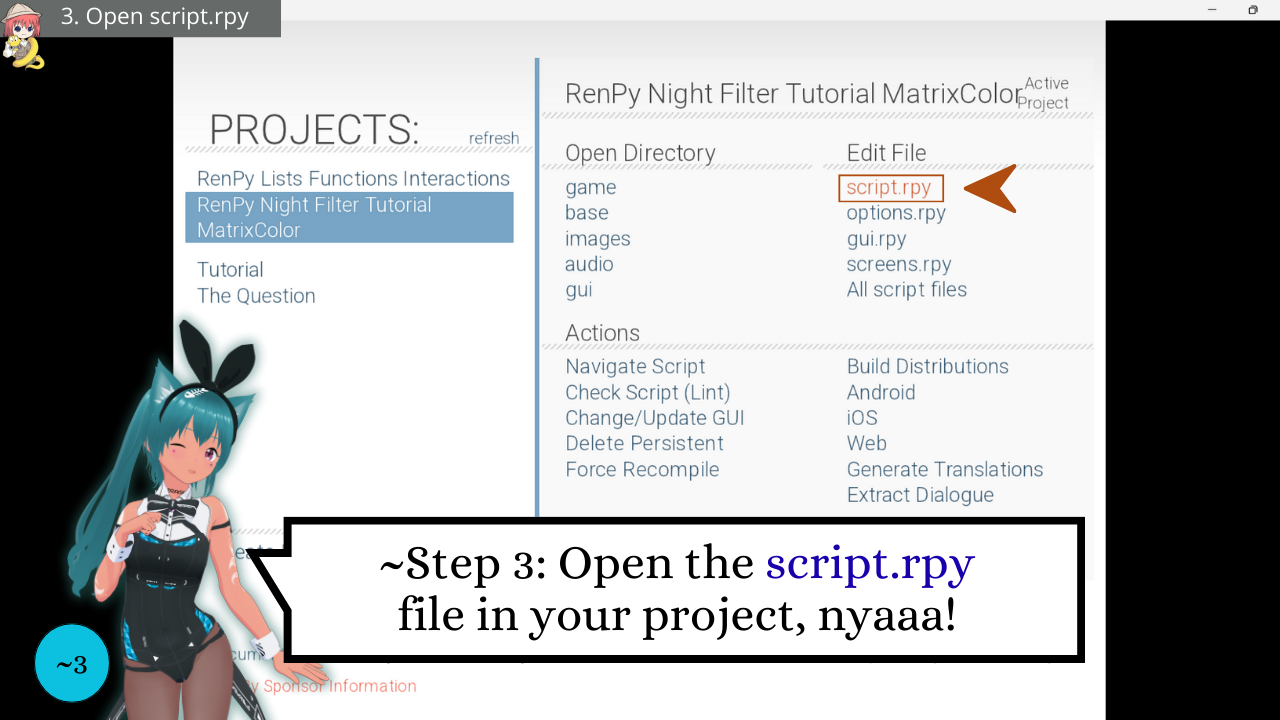
3️⃣ Open script.rpy in your project editor
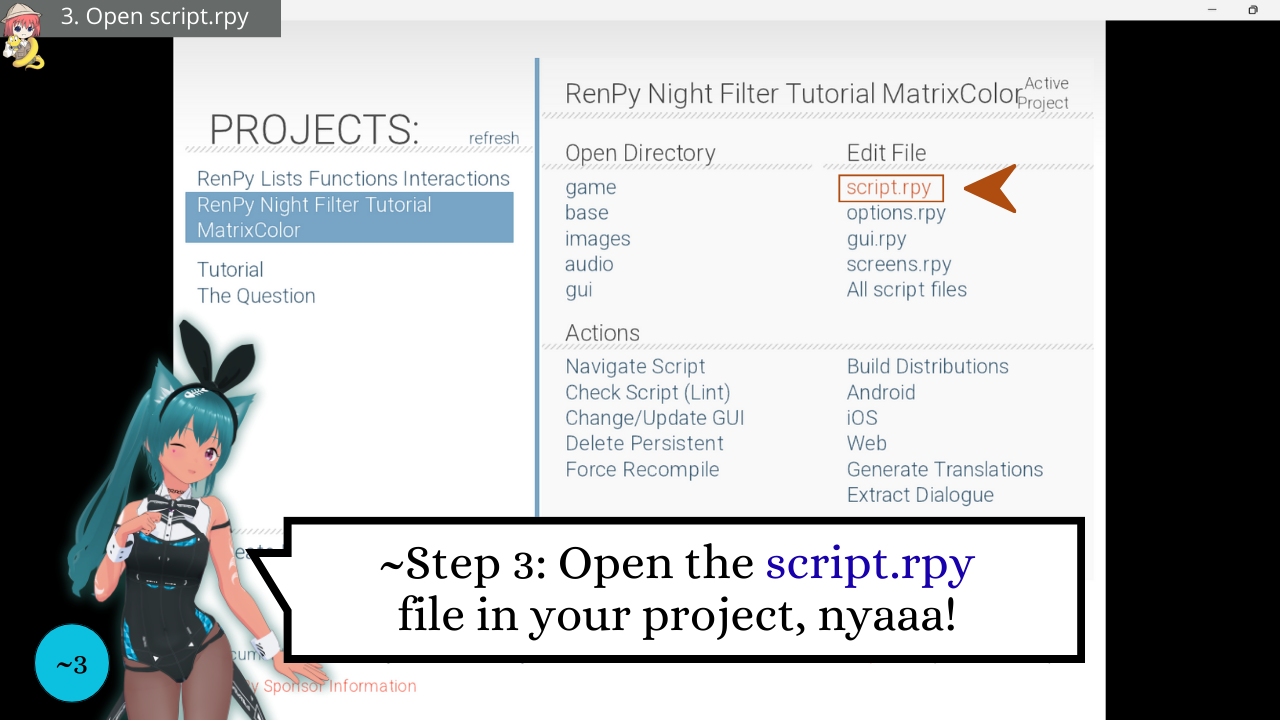
Locate and open script.rpy sooo you can define the meoww image and transform it with MatrixColor, fufufu!
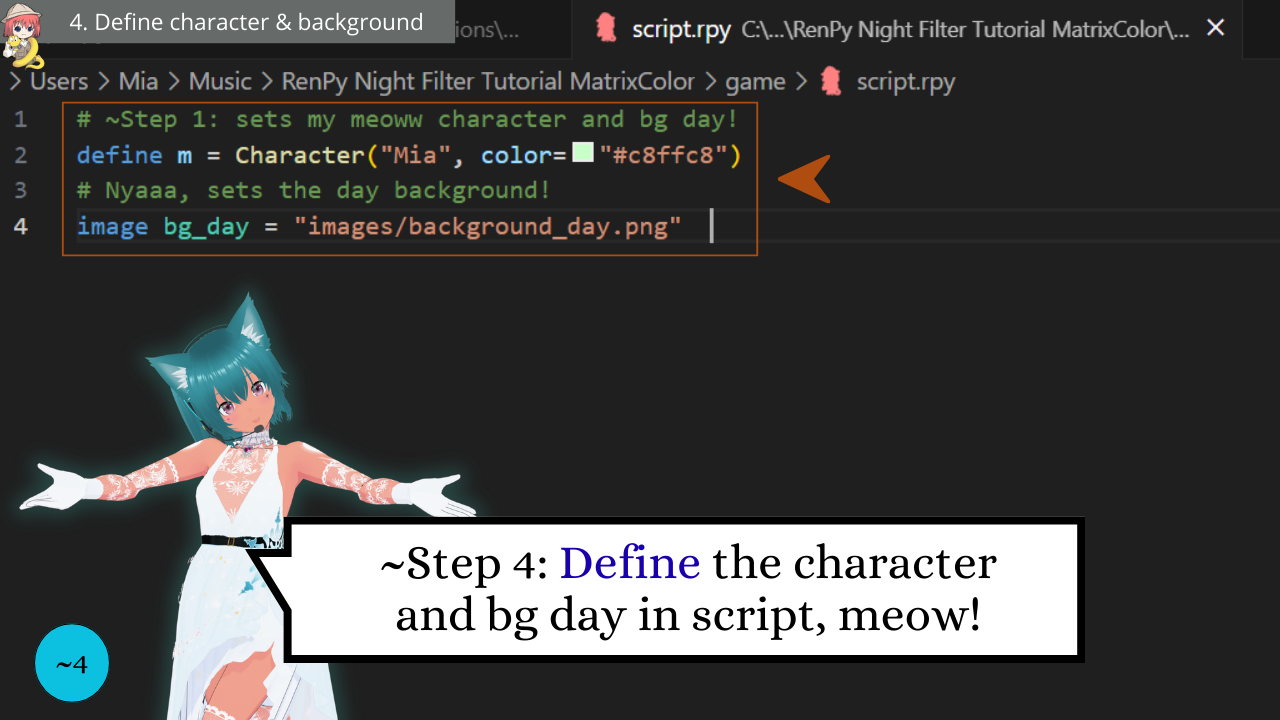
4️⃣ Define Your Character and Background
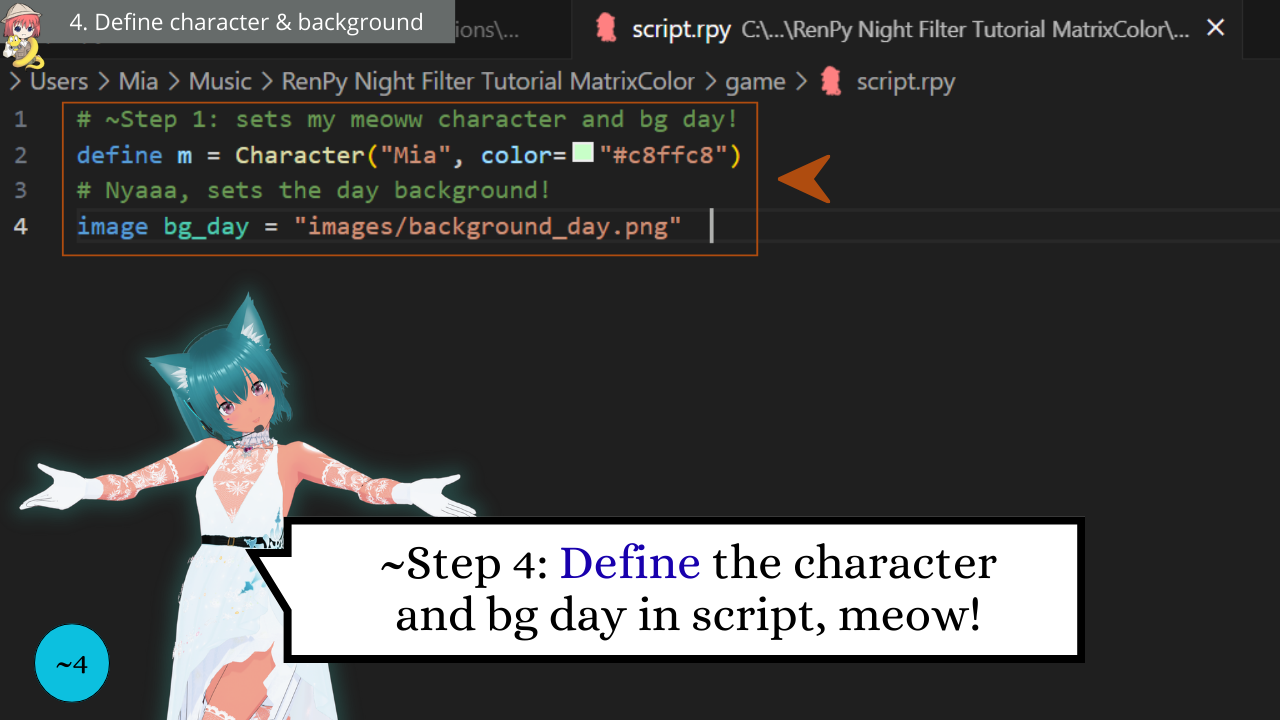
Set up your character and link your daytime background image. This makes sure Ren’Py knows who’s speaking and which image to display before we apply the meoww night filter.
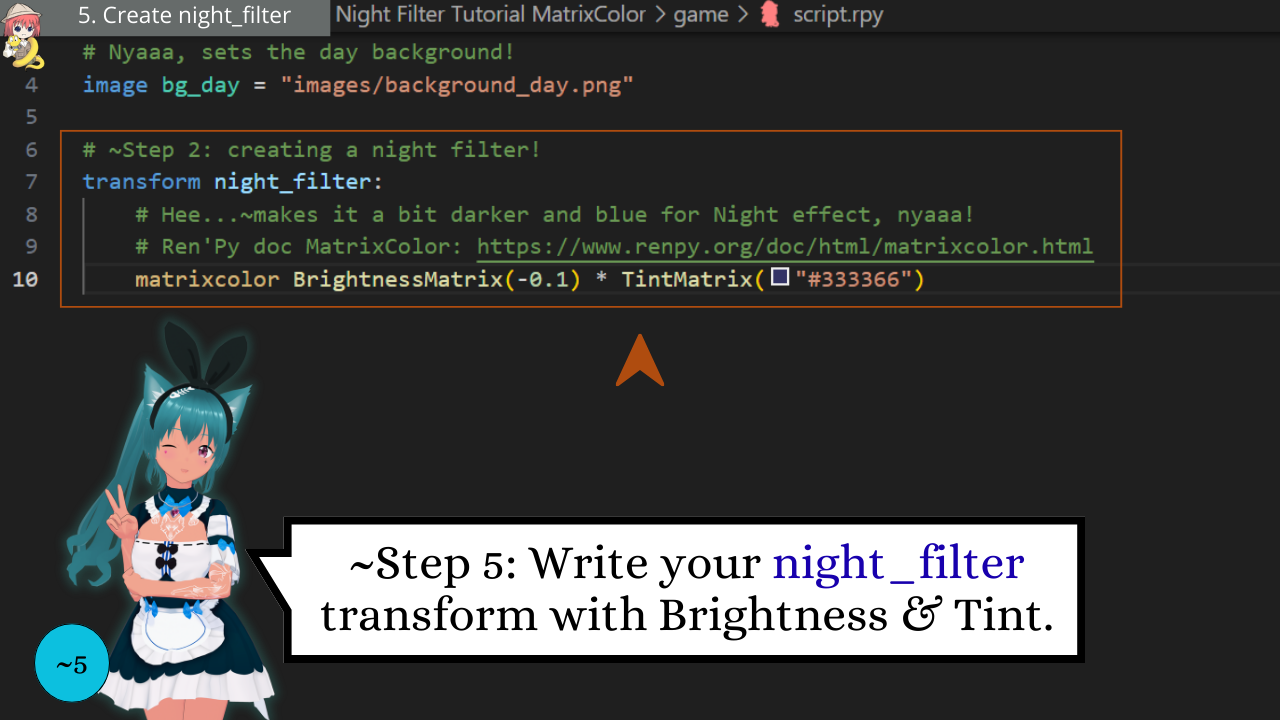
5️⃣ Write your night_filter transform with Brightness & Tint
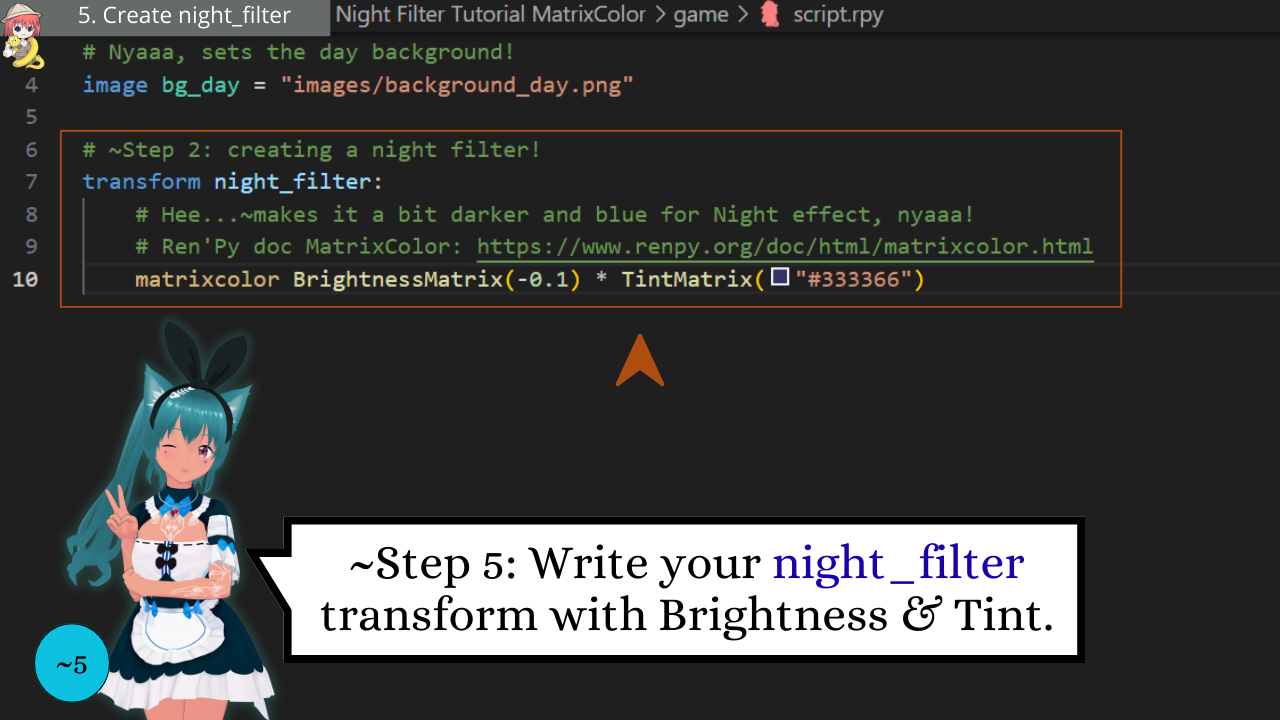
~Now the meoww magic begins, nyaaa! Let's combine BrightnessMatrix and TintMatrix to darken the scene and give it that bluish night glow, nyaaa!
🔹 BrightnessMatrix(-0.1) - Lowers overall light, making the scene darker.
🔹 TintMatrix("#333366") - Adds a soft nyaaa-blue tint, purrfect for night vibes.
Full MatrixColor Ren’Py docs here:
https://www.renpy.org/doc/html/matrixcolor.html
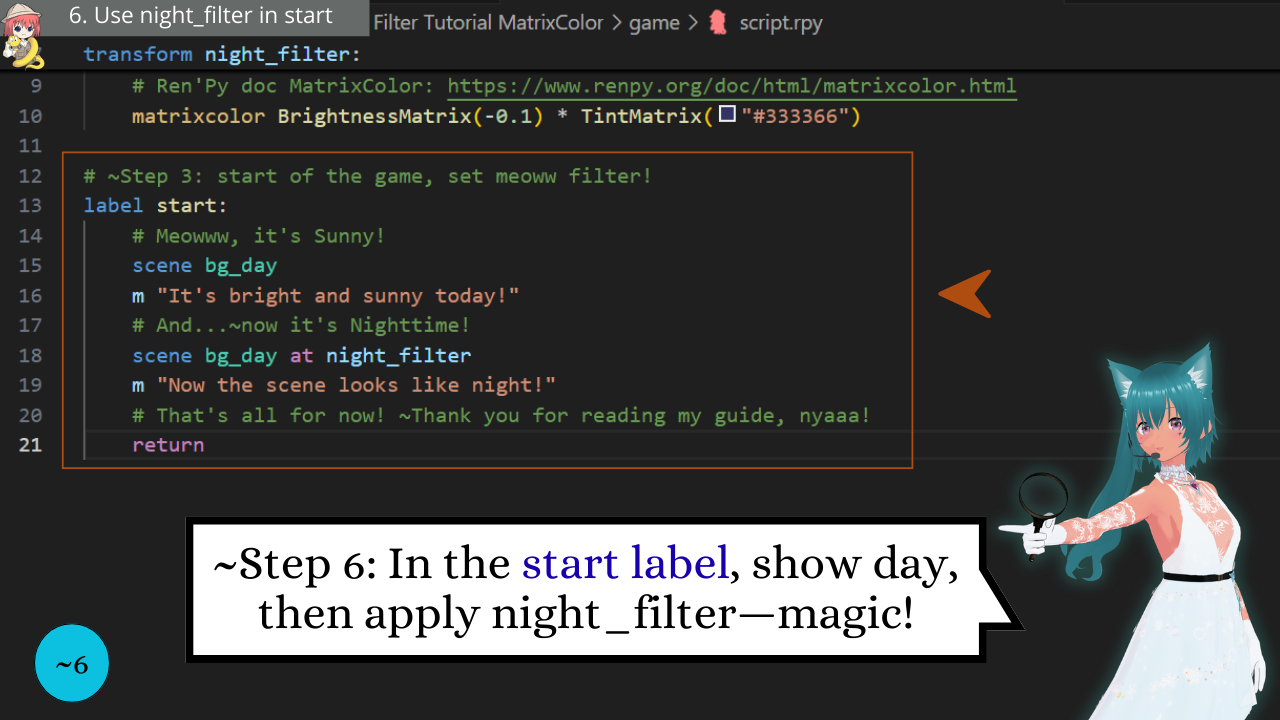
6️⃣ Use night_filter inside the start label
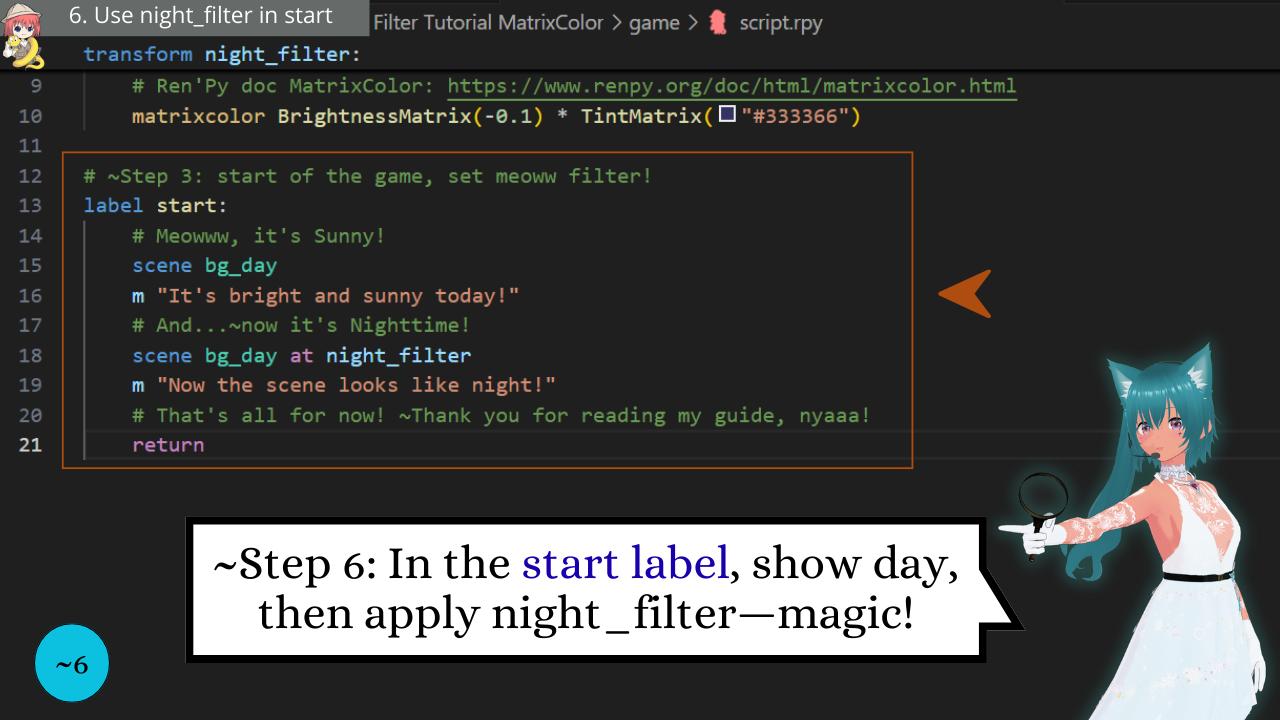
In label start, show the day scene, then re-show it with the meoww night_filter transform, nyaaa! Transform applies your MatrixColor transform to that image. ~Meowgic, nyaaa!
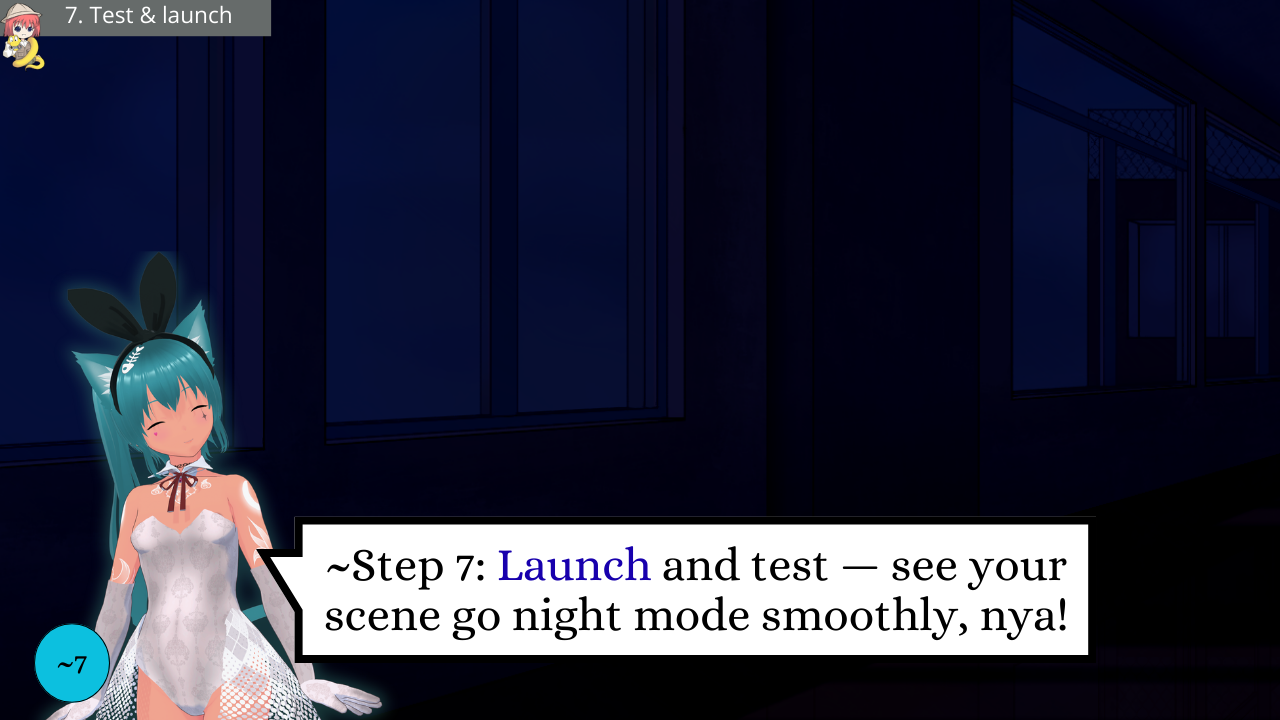
7️⃣ Launch and Test
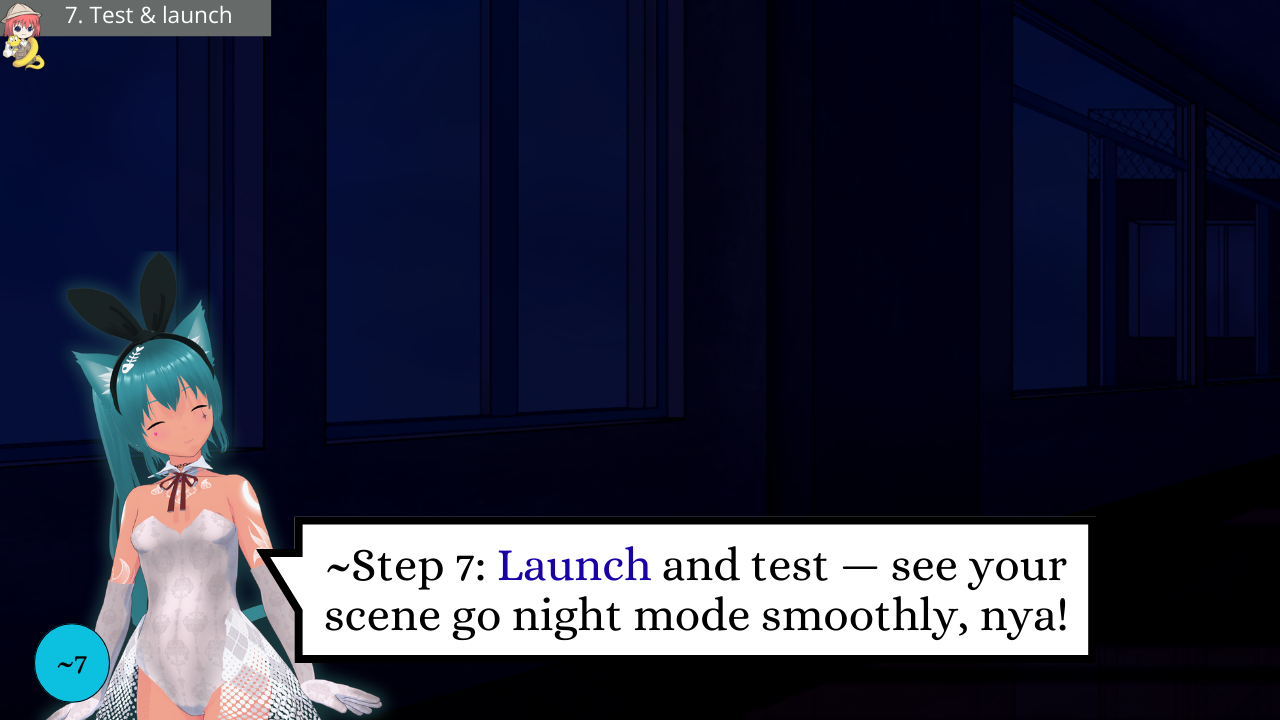
In the Ren’Py Launcher, click Launch Project to run your meoww game, then verify the scene switches day to night as expected, nyaaa!
📄Thank you for reading my meoww guide
~Yayyy, you made it to the end of this tutorial, nyaaa!
Thank you sooo much for following along with me on this little coding adventure. Now you know how to cast your MatrixColor night filter spell in Ren’Py—turning day into night with pure code magic, no extra assets required, fufufu!
If this guide helped you, pleasse subscribe for free on my meoww YouTube channel and join me on this enchanting meowwgical journey.
~Join me here: https://www.youtube.com/@MiaCodeExpedition/videos
If you have any questions or want to share your epic meoww creation, please reach out to me! I’m all ears (~and whiskers, fufufu)! Your adventure has just begun, so go forth, cast nyaaa-spells, pleaase write me and let your meoww code sparkle!
Thank you sooo much for joining me, my dear code adventurers. Stay meoww tuned! ~Have a meoww Blessed day and love youuu!
Mia ✨🐾(≧◡≦)📖💖
Download
Comments
Log in with itch.io to leave a comment.
Great idea!
A nice addition would be to have it gradually turn to night view ;-)
A luxury version could even change the TintMatrix to use a gradually changing color from reddish to night sky blue, simulating the dusk period.
~Meowww! Hii FaceCrap! 📜🔍(=^・^=)🌅🎄 ~Mia here!
Sorry for the meoww delay....I’ve been a bit overwhelmed with University exams and some pro projects, but I absolutely loved your comment, nyaaa! Thank you so much for your support and amazing suggestions. Right after the video is published, I’ll prepare a new patch including the gradual night transition and the dusk color shift — I can’t wait for you to try it!
~If you have any meoww questions or need help on your coding adventure, feel free to reach out anytime! I’ll be super excited to guide you through our meoww coding journey together, nyaaa! 💌🌌- ˕ •マ🌟🩵
All new assets and videos will remain 100% free, ~so don’t hesitate to follow me on meowww YouTube, X, here on Itch.io, or join my meoww Discord for more fun, nyaaaa. All links are in my meoww channel main description, nyaaa! Thank you again — your support really means a lot, meowww!
~Love youuuu — have a meowww Blessed day or night!
~Mia 📖✨(≧◡≦)💖🌟
wow this is so cooool, thanks you a lot for sharing :3
~Meowww! Hiii Socteb1234! 💌🐾(=^・^=)🔔🌟 ~Mia here!
~Awwww! Thank you sooo much for your adorable comment, nyaaa! I’m sooo happy you enjoyed the article about using MatrixColor in Ren’Py — it really means a lot to me, meoww! This was such a fun little guide to make, and I might even create a video version of it in the coming months, fufufu~
Speaking of videos, I’ll finally be showing some editing from the next meoww episode — it’s almost finished and will likely be released around Halloween! Please stay tuned for that, and for the next part of the meoww adventure! ~Don’t hesitate to ask if you ever need anything, nyaaa! 🎃✨- ˕ •マ🩵👻
Love youuu, and have a meoww blessed day or night!
~Mia 📖✨(≧◡≦)💖🌟